
B2B website examples
B2B Website Design Examples: Three Patterns
Three inspectable B2B website examples show trade, physical-product, and professional-service page patterns, with their evidence limits stated.
Short answer
Look at three concrete choices below: product and quote routes in GlobalAxis, transport context in Modular House, and service categories in GreenLedger. GlobalAxis and GreenLedger are independent concepts; Modular House is a published project example. Use the images to inspect presentation, not to infer sales results.Three B2B page patterns and the buyer decision each supports
| Example | Buyer question | Visible page pattern |
|---|---|---|
| GlobalAxis Trading · independent concept | Which sourcing categories and trade services fit? | Categories, procurement process, logistics context, enquiry route |
| Modular House · published page | What is the product and how is it made or installed? | Project visuals, factory process, installation guidance, enquiry path |
| GreenLedger · independent concept | Which business support service matches my situation? | Service grouping, business-stage context, contact route |
Example 1: make a trade service concrete.
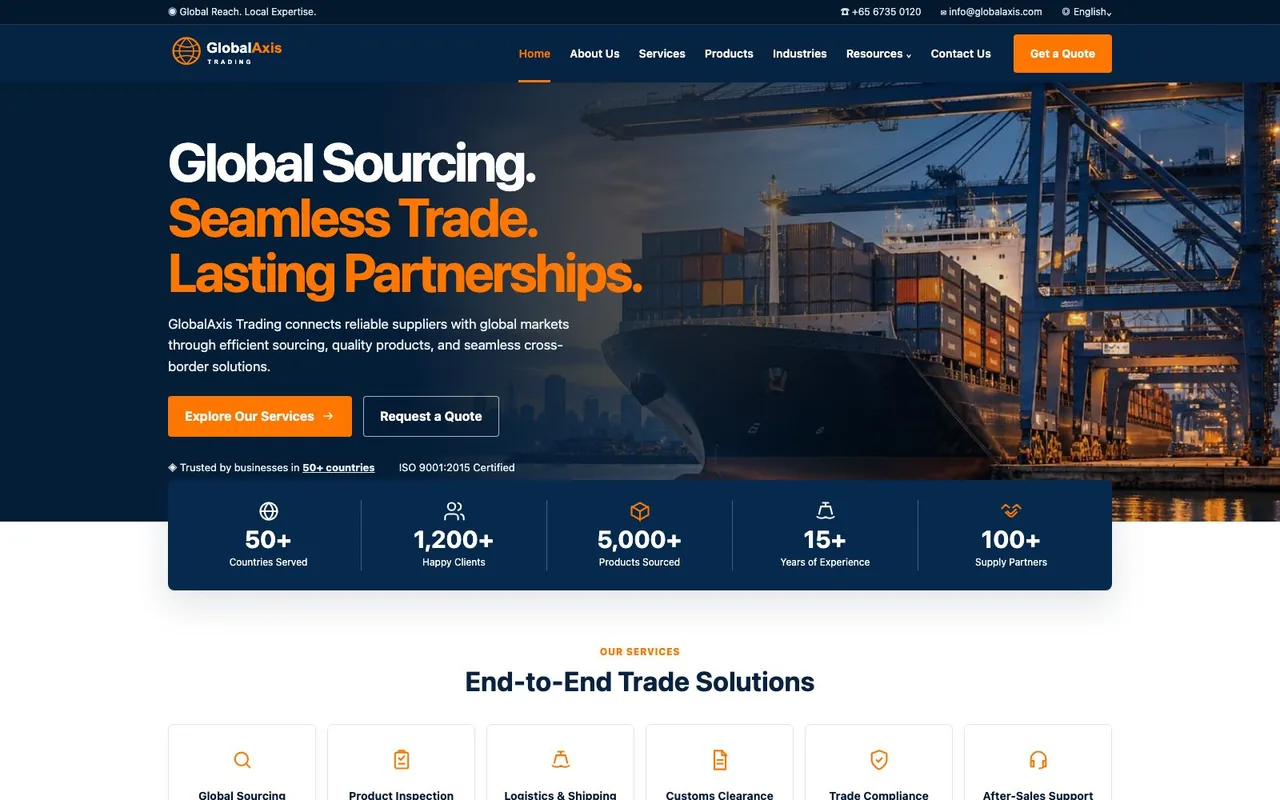
In the GlobalAxis concept shown here, “Products” sits beside “Services”, while “Request a Quote” appears in the hero. Those are two different buyer tasks: find a category, or ask about a requirement. Keep both routes visible when your buyers arrive with different levels of product knowledge.
When adapting this pattern, give each product category an owner and a representative detail page. A general sourcing request and a request for a known model may need different fields; agree that distinction with the team handling enquiries.
Example 2: connect a physical product with delivery context.
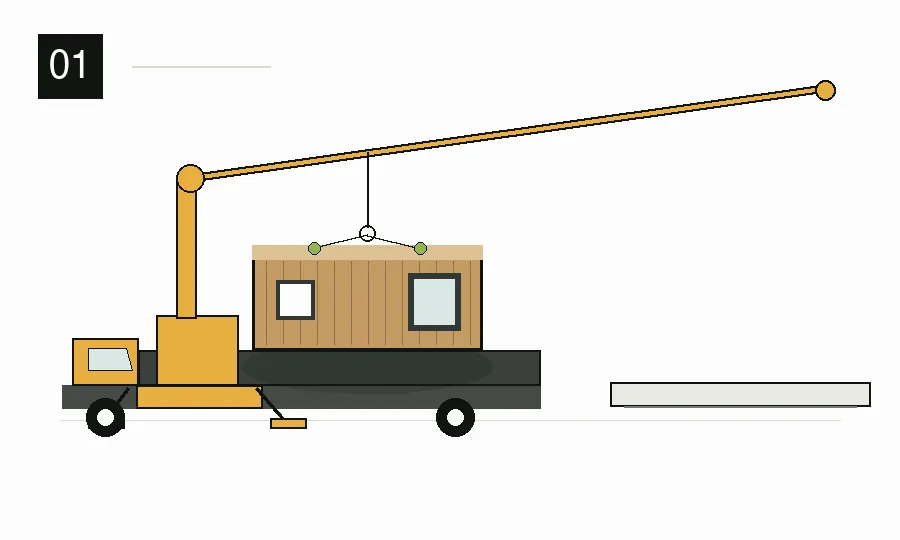
The Modular House published page combines project visuals, a factory-process section, installation guidance, and an enquiry path. The page is linked below. For a real catalogue, the next layer would be consistent models, dimensions, options, engineering documents, and the conditions under which a quotation applies.
For a catalogue brief, specify what belongs on the page and what belongs in the supporting document. Keep model, dimensions and options beside the enquiry; use process and installation material to answer the questions that need more explanation.
Example 3: organise professional services by client need.
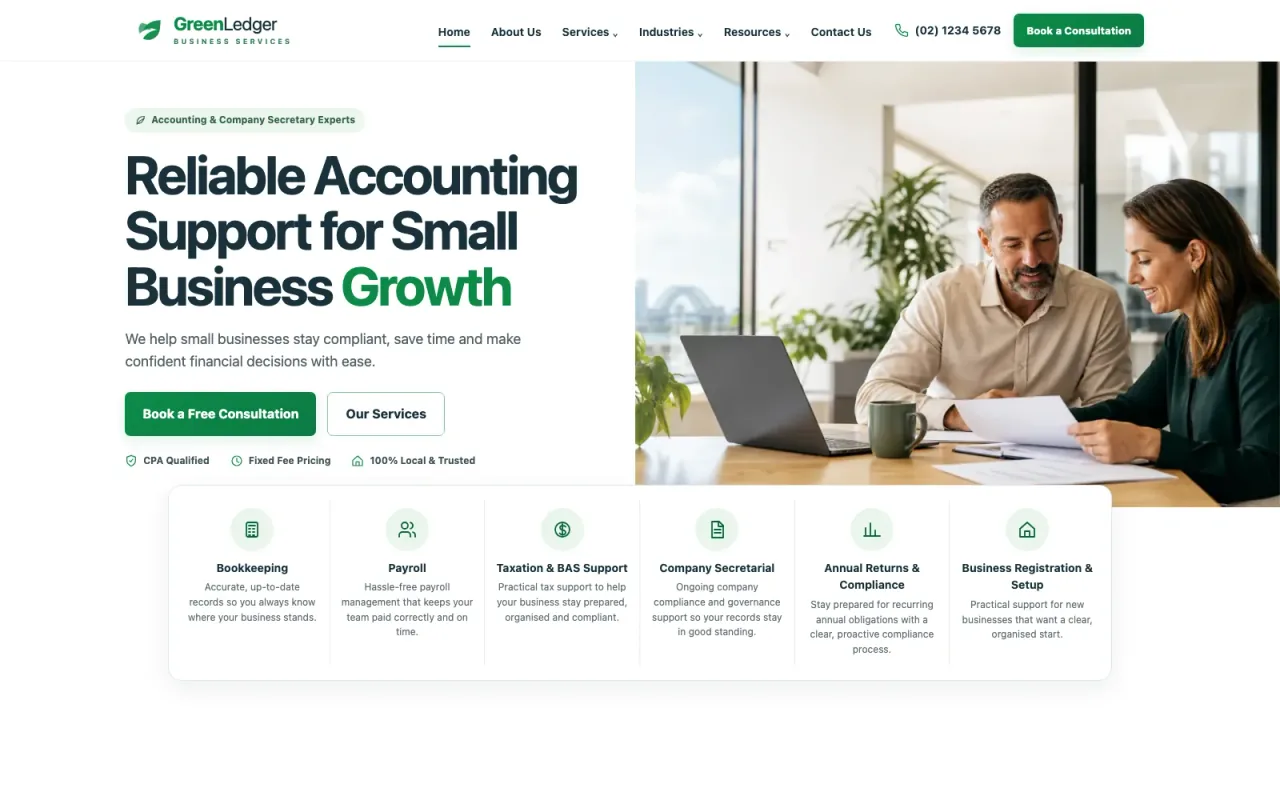
The GreenLedger Business Services independent concept groups accounting, bookkeeping, payroll, and company-secretarial support around small-business needs. The project page is linked below. The pattern helps a visitor move from a broad problem to a service path and a conversation.
Give each service group a detail page explaining who it serves, what the client supplies and the next consultation step. The homepage can help visitors choose a route; it need not repeat the full scope of every service.
Use the examples as a brief, not a template to copy.
For each page you plan, write down the buyer role, the decision, the content needed to make that decision, the evidence owner, and the next step. This reveals whether the site needs a product comparison, application guide, service detail, capability page, or a focused RFQ form.
The strongest example for your business is the one whose page structure answers your buyers' real questions with facts you can maintain. Visual style is useful once the information is accurate and the path is clear.
Sources and scope
- ZequnWeb: GlobalAxis Trading independent conceptzequnweb.com
First-party inspectable trade website concept. It is not evidence of client results.
- ZequnWeb: Modular House homepagezequnweb.com
First-party published page example showing project, factory-process, installation, and enquiry sections; no performance result is asserted.
- ZequnWeb: GreenLedger independent conceptzequnweb.com
First-party professional-services concept. It is not evidence of credentials or client outcomes.
B2B examples questions
How to use examples without copying the wrong pattern
What should I look for in a B2B website example?
Check whether the page identifies its buyer, explains the product or service scope, helps someone compare options, shows verifiable evidence, and makes the next action clear. Review real mobile behavior and forms as well as the hero image.
Are these examples proof of higher conversions?
No. They are inspectable page and design examples. Two are explicitly independent concepts, and this article does not claim measured traffic, enquiry, sales, or conversion gains for any of the three.
Can one B2B layout work for every industry?
The pattern should follow the buyer's task. A trade site may need categories and sourcing scope; a physical product page may need specifications, projects, and installation context; a professional-service site may need scope, fit, credentials, and a consultation route. Reuse clear principles, then adapt the content to approved evidence.
ZequnWeb
Want to make the scope clearer?
Send your current site or starting point, what needs to change, and where you need the site to lead. I will help define a useful first release.
Discuss your project