
Independent concept · Architectural Aluminum Systems Website
ALUCORE
An architectural aluminum systems concept bringing windows, curtain walls, doors, sun shading, technical resources, and project enquiries into one multilingual website.
This independent build, concept or interface exercise demonstrates inspectable design and implementation. It is not a commissioned client result and provides no evidence of client revenue or conversion outcomes.
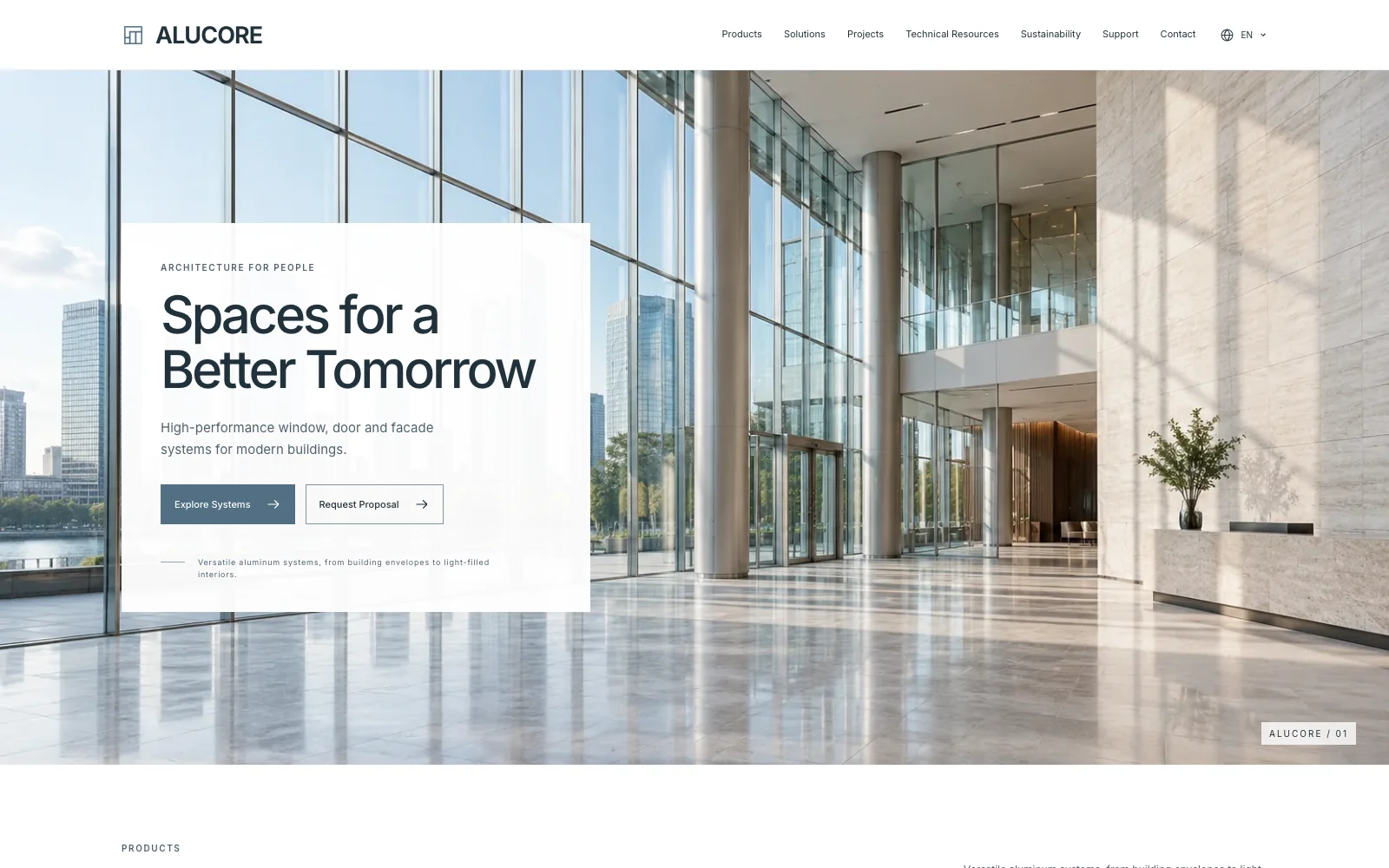
Inside the project
From structure to screen.
A self-initiated work by ZequnWeb. Demo brands, testimonials and figures are illustrative; they are not verified client results.
Website in context
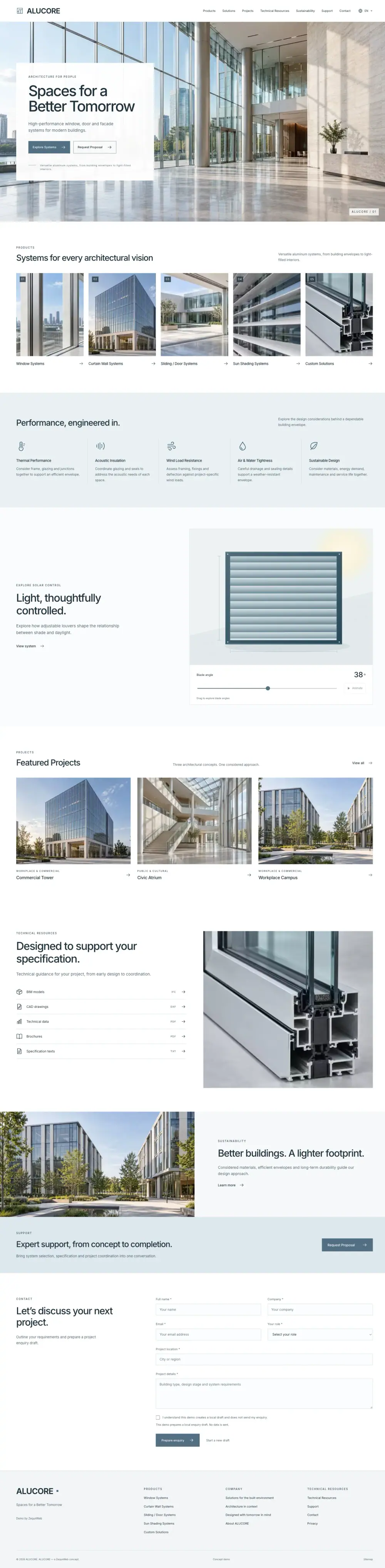
Full-page English demo captures automatically scroll from top to footer. Pause to explore manually, replay, or open the original image.

01 / Page architecture
The information journey
- 01System families
- 02Performance
- 03Shading preview
- 04Projects
- 05Resources
- 06Enquiry
02 / Visual direction
Architectural photography establishes scale before the interface introduces product detail. Generous spacing and a restrained palette keep technical information separate from the interactive shading demonstration.
03 / Responsive decisions
System cards stack vertically and technical content follows a single reading order. The shading control stays within the content column.
Design analysis based on the implemented work; this is not a record of client research or user testing.
Implementation
Technology
- Next.js
- React
- Cloudflare Pages
Frameworks are listed when supported by the existing project record or public scripts. Content structure and UX are discussed separately above.
Independent concept
Delivered work & results
The deliverable is the design and implementation shown here. There are no measured revenue, conversion or customer-growth results for this independent project.
Screenshots record the page on the stated date. They do not verify form delivery, transactions, accessibility or performance.
Explore the public demoConcept focus
What this concept demonstrates
Concept context
An independent website concept by ZequnWeb. Company, product, and project information illustrates the design rather than commissioned client work.
What changed
Organise five system families alongside performance considerations, concept projects, technical resources, and an adjustable sun-shading preview.
Design & implementation highlights
- Five product system families are presented
- Sun-shading blades can be adjusted interactively
- The enquiry form prepares a local draft without sending it
ZequnWeb design decisions and demo checks
Why the page is organised this way
ZequnWeb puts system families before performance detail so architects can identify a relevant product, then inspect technical resources. The sun-shading control makes blade angle visible without replacing specification review.
Try the browsing tasks
- Open the product directory and choose a window, curtain-wall or shading system.
- Return to the homepage, pause the shading animation and adjust the blade angle with the keyboard.
Demo checked:
- The English homepage and product directory were accessible.
- The shading slider accepted keyboard input and reached 0 degrees.
Scope of these checks
These checks cover navigation and one control, not thermal, acoustic or structural performance, downloadable-file quality, or enquiry delivery.
Download the dated demo check record (JSON) ↓Project problem
Architects and buyers need to connect system choices with design requirements, technical information, and a project brief.
Solution
Organise five system families alongside performance considerations, concept projects, technical resources, and an adjustable sun-shading preview.
Delivered
- Product system directory
- Architectural concept projects
- Technical resource pages
- Interactive sun-shading preview
- Local enquiry draft
Technology stack
- Multilingual content structure
- Responsive layout
- Interactive product presentation
Business Value
What this project proves
Connect product and service information, brand presentation, and enquiry paths so visitors can understand the business and prepare their requirements.
Start Here
Want to shape this into a real website?
Send the business type, current site or references, target customers, and rough budget. I will help narrow the useful scope first.